MoLock

Every MoLock feature in one place

The Windows screen lock that guards your privacy, photographs anyone who tries to get in, and puts the whole PC in your Telegram.

Smart locking, unlock by typing

No password box to give anything away. Type your password at any moment and it opens — with plenty of other ways in when you need them.

  • Type anywhere to unlockNo box, no button, and the length never shows.
  • Auto-lockOn idle (with a countdown warning), at sign-in or on a schedule.
  • Panic keyOne shortcut locks, blanks the screen and sends an alert.
  • Recovery & authenticator codesA one-time recovery code, or a code from an app like Google Authenticator.
  • Trusted USB keyUnlocks with your USB stick and locks when you pull it out.
  • Bluetooth phoneLocks when your phone walks away.
  • Home Wi-FiNo idle-locking while you're on your trusted network.
  • Duress passwordOpens normally for whoever forces you — and silently alerts you with a photo.
  • Decoy screensDisguise the lock as a Windows update or "No signal".
  • Every monitorCovers every connected display.
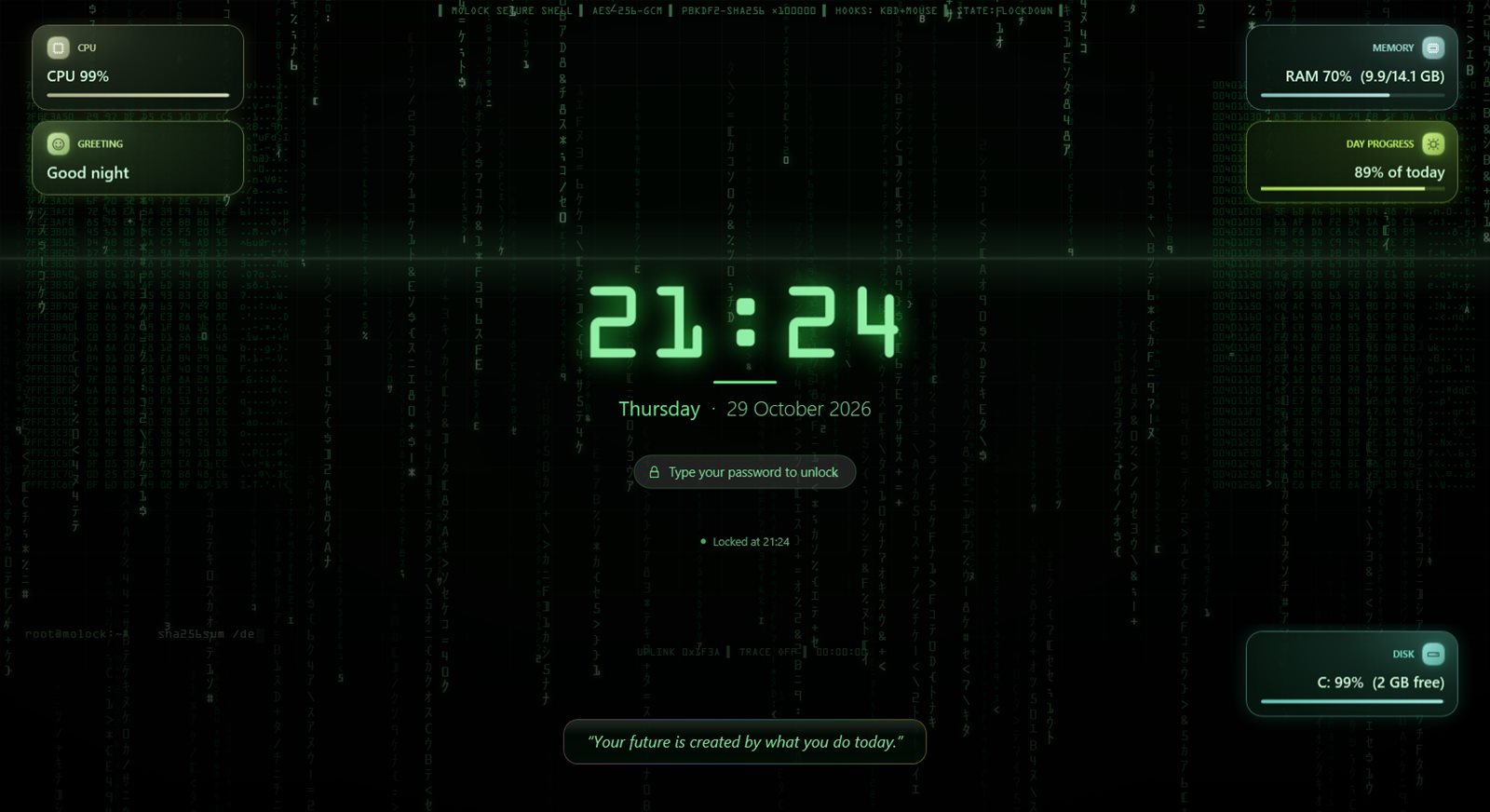
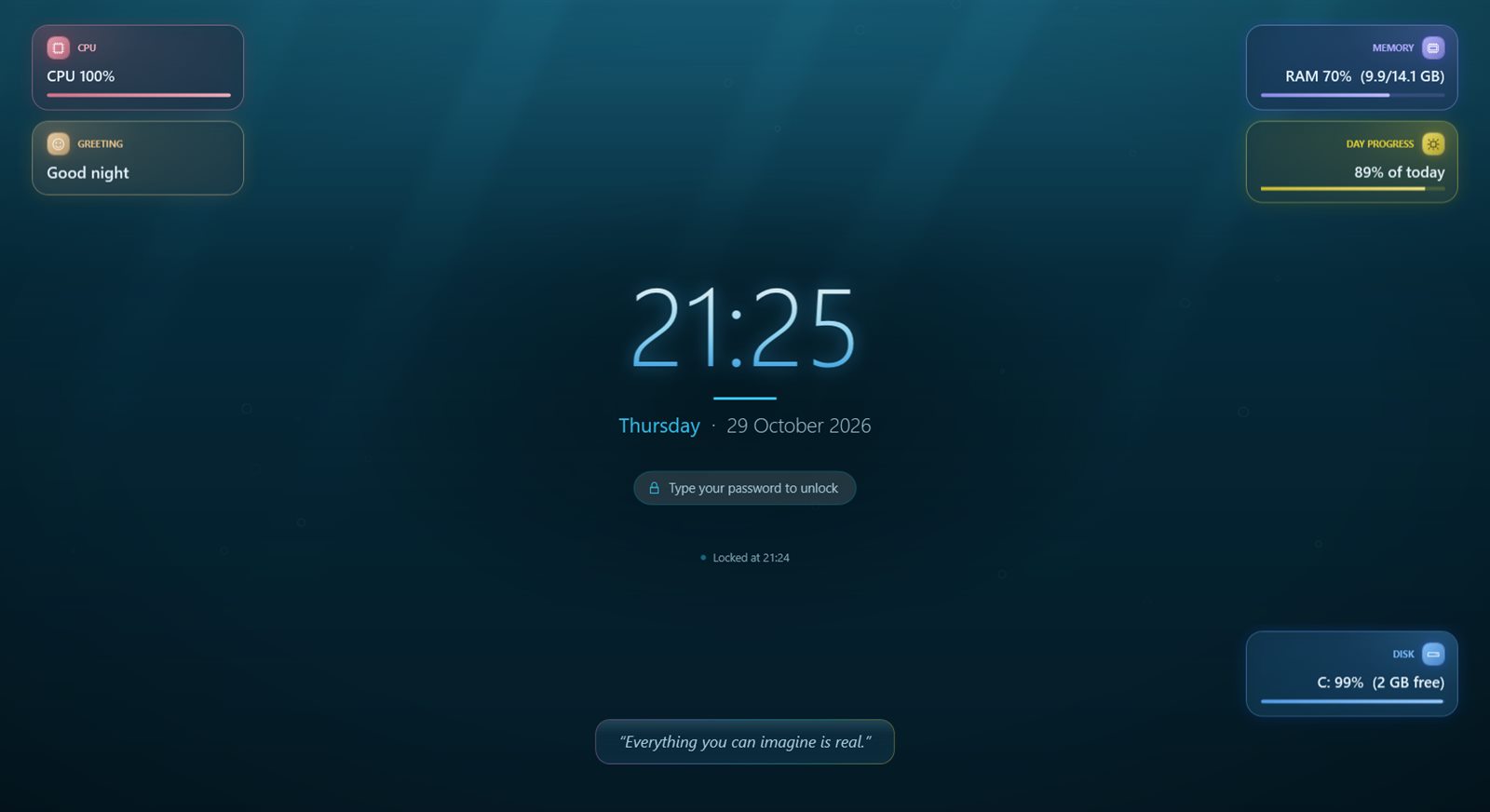
MoLock lock screen, 1337 theme

Catch intruders on your PC

From the first movement in front of the camera to the last wrong guess, everything is documented. Every wrong attempt becomes one fully documented incident, delivered to Telegram as a single message — even if the internet was down at the time.

  • Photo burstSeveral shots of whoever is at the PC.
  • Clip with soundFalls back to silent video or audio-only if the camera is busy.
  • What was typedSee exactly what they tried.
  • Location & screenshotA map pin and a shot of the lock screen.
  • New Camera motion detectionSomeone walks up to your locked PC? Their photo reaches Telegram in about a second, with another-photo / video / siren / OK buttons. Light changes don't trigger it.
  • New Instant cameraWarms up the moment the screen locks, so the first photo is instant.
  • New Your sensitivitySet the sensitivity and the minimum time between alerts.
  • First-touch alertSomeone just moved the mouse? You get a photo or short clip.
  • Nothing is lostOffline? It waits and sends when you're back.
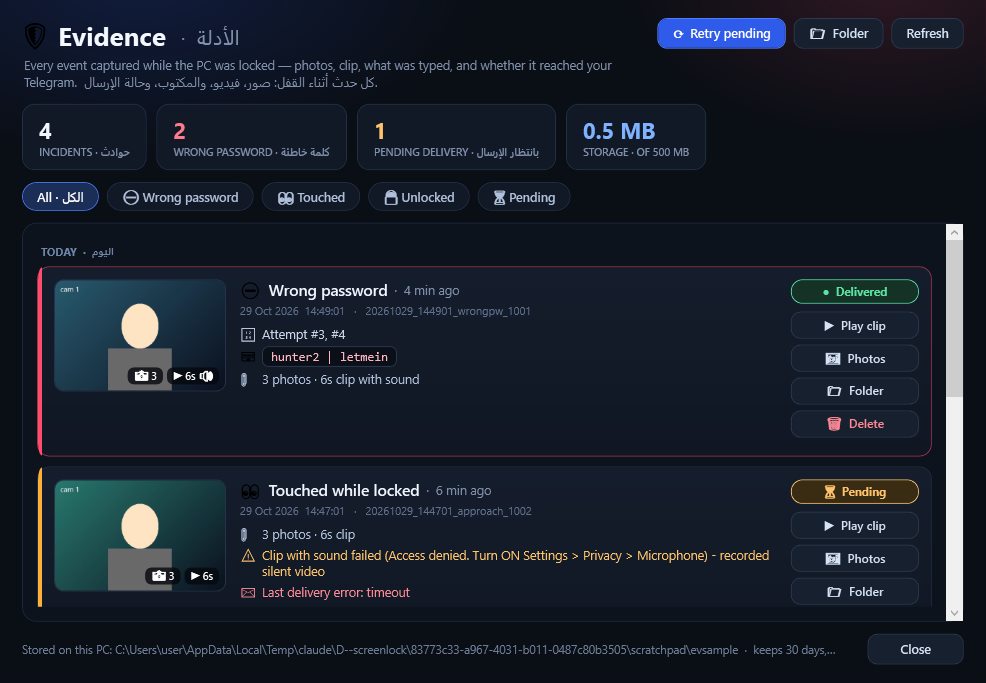
  • Evidence timelinePlay, open, delete — with delivery status.
  • USB logA log of any USB stick plugged in while you were away.
MoLock evidence timeline window

Control your PC from your phone

A private Telegram bot that answers only you, with a six-section control panel and 70+ commands — working even while the app is closed.

  • Lock, unlock, timers/lock /timer 5 /screenoff
  • Camera & mic/photo /video 10 /mic 15 /live 20
  • Screen & control/screenshot /click /keys /remote 30
  • Location/where /locate /geoloop 5
  • Files/files /get 3, and send any file to upload it.
  • Power/sleep /restart /shutdown 10
  • Reset the password remotely/resetpassword — the messages delete themselves.
  • Quick settings/settings on/off toggles, including motion detection and tamper alerts.
  • New Loud siren/siren, or the 🔊 button on a motion alert.
  • New Update remotely/update with progress, even while locked.
  • New A guide in the chat/guide sends you the commands with examples.
🐳MoLock Botbot · private to you
  1. /where
  2. 📍 Device location
    Cairo, Egypt · ~20 m accuracy
    📶 Home-WiFi
  3. /photo
  4. Photo from the bot📷 Camera photo

A living lock screen, your way

35 animated themes and 33+ colourful widgets, fully in Arabic. The lock screen becomes the best-looking thing on your PC.

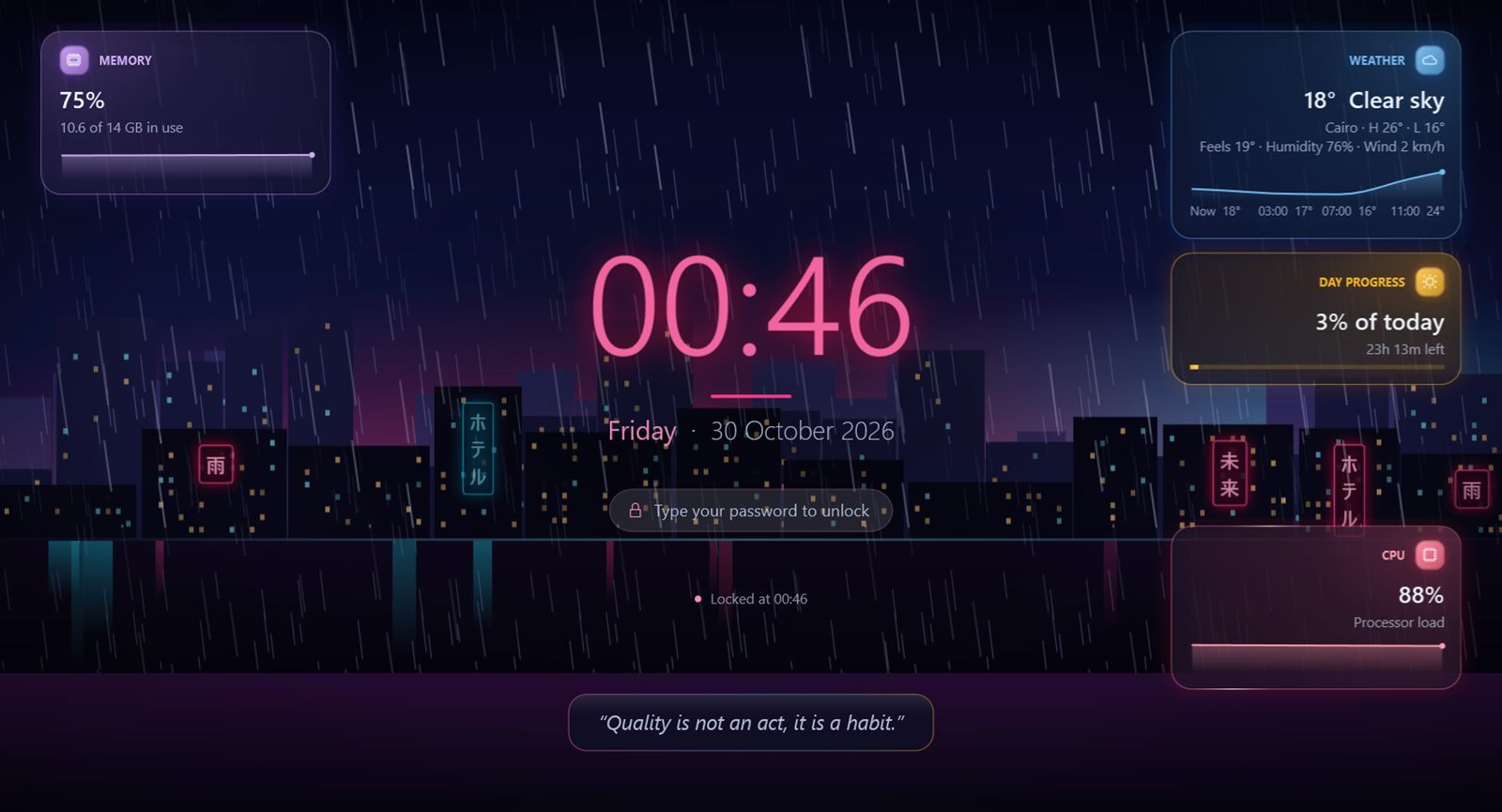
  • New 5 premium themesLiquid Glass, Nebula Flow, Neo Tokyo Rain and more, with intensity, speed and glow controls.
  • New 3 style profilesSimple, Professional or Dynamic, with live previews.
  • 35 animated themesAurora, deep space, hacker, neon, sakura…
  • Prayer times & HijriWith a countdown to the next prayer.
  • Weather, currency, newsWeather & forecast, exchange rates, crypto, RSS.
  • System statusCPU, memory, disk, temperatures, battery.
  • Focus & datesPomodoro, countdown, calendar, alarm.
  • Unlock animationsMatrix, Fingerprint, Radar, Glitch…
  • Your backgroundImage, video, slideshow or a blurred desktop.
MoLock lock screen, the new Neo Tokyo Rain theme

Hard to kill, easy to control

Built to keep running when you need it — and to stop when you say so.

  • New Tamper alertsA wrong password when closing, pausing or opening Settings, or ending it from Task Manager = an alert with a photo. Three wrong tries lock the screen.
  • GuardianKilled by someone? It comes straight back, locked if it was locked.
  • Optional guard serviceAn extra layer that starts with Windows.
  • Protected settingsNo one opens Settings or exits without your password.
  • Never freezesMouse and keyboard always work, even when Windows locks on top.
  • Close means closed"Until I open it" or "until next sign-in".
  • Flexible pause5 minutes to 7 days, and automatic during full-screen movies and games.
  • MoLock FixRepairs Task Manager and the mouse, and can remove everything.
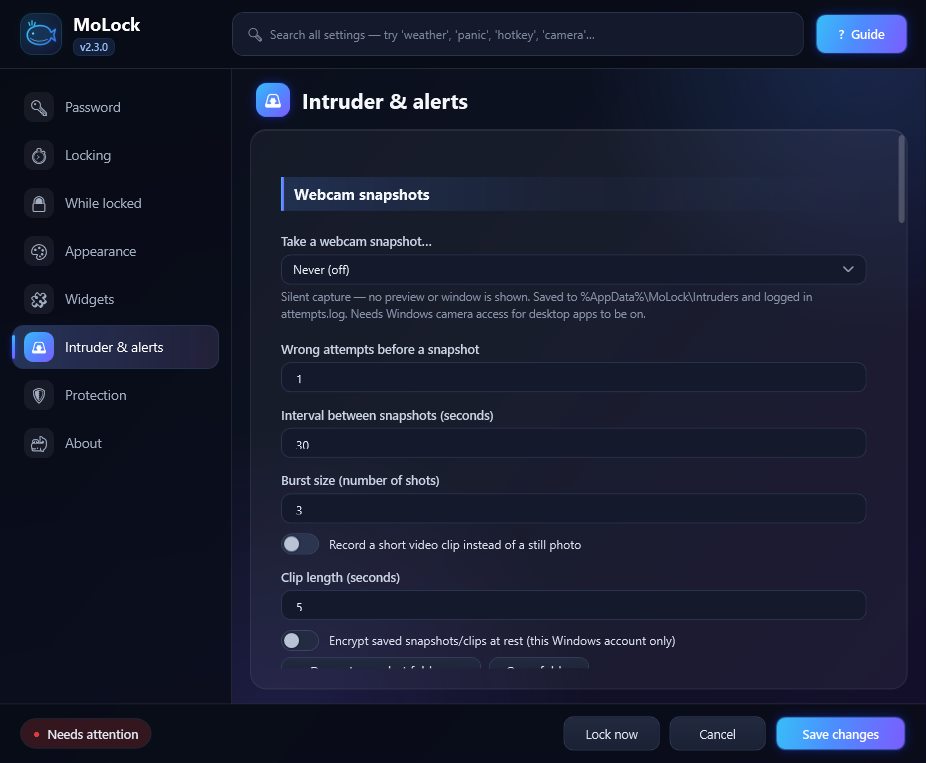
The redesigned MoLock settings

Signed, safe updates & news

What's new reaches you on its own, and everything is digitally signed — so no one can send you a fake.

  • New Update from Telegram/update: what's new, the size, a progress bar and a verified install.
  • Quiet auto-updateIn the background — never while the screen is locked.
  • Automatic roll-backIf anything goes wrong, it returns to the previous version.
  • Digital signatureThe app refuses any update or post that isn't from us.
  • Feedback with repliesSend from inside the app; the reply pops up on your PC.
  • Polite announcementsNever over the lock screen or a full-screen app.
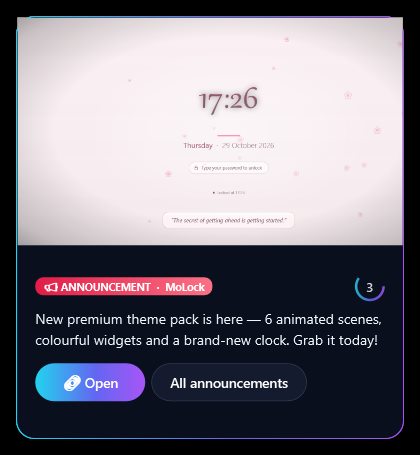
A MoLock announcement card

Widgets up close

Premium widgets — fully bilingual

Real captures from the lock screen. Each widget has its own size, position and refresh rate, all set from Settings.

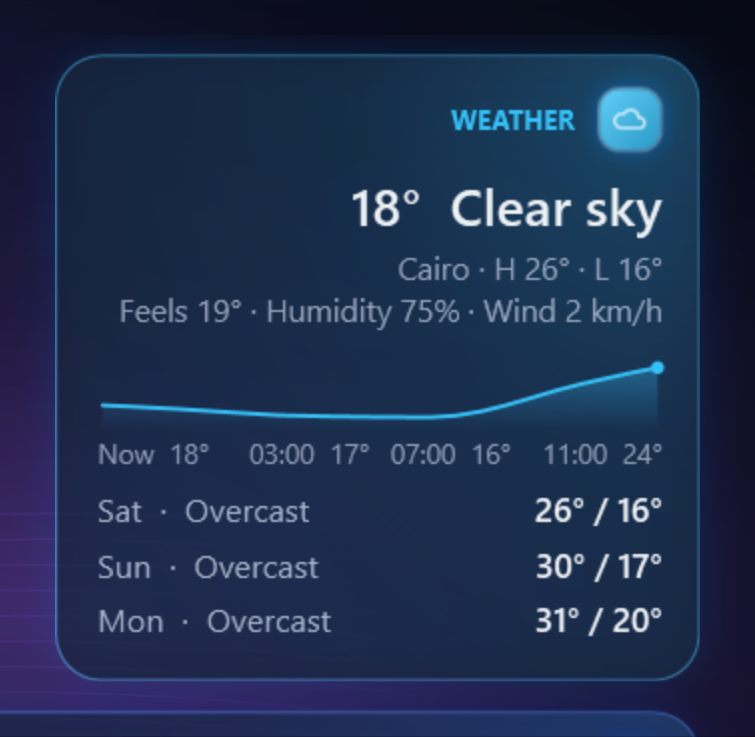
  • Weather with an hourly chart
    Weather with an hourly chartFeels-like, humidity, wind and the forecast.
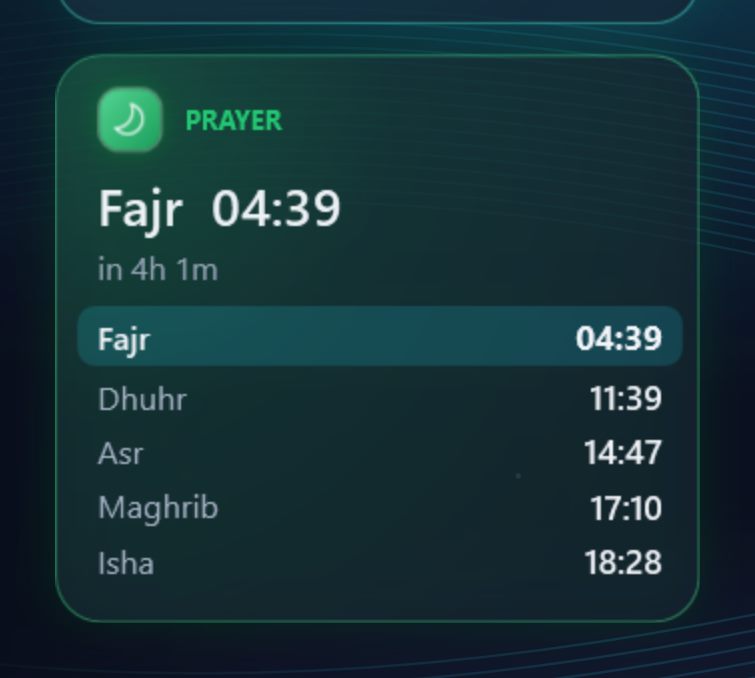
  • All five prayers, with a countdown
    All five prayers, with a countdownAnd the time left to the next one.
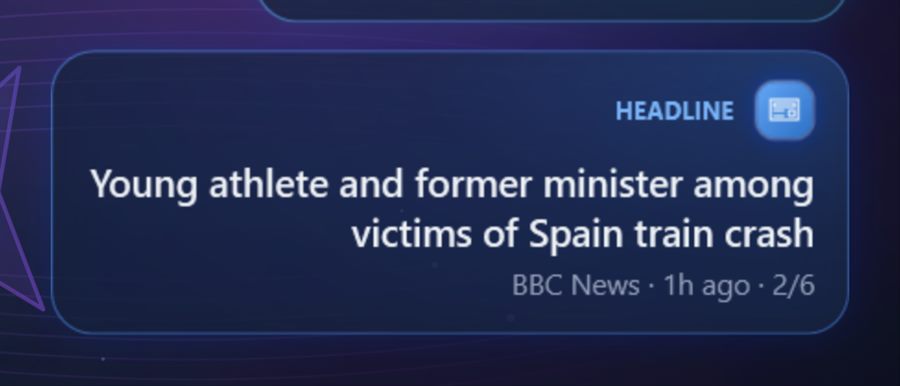
  • Rotating headlines
    Rotating headlinesArabic or English, from the sources you choose.
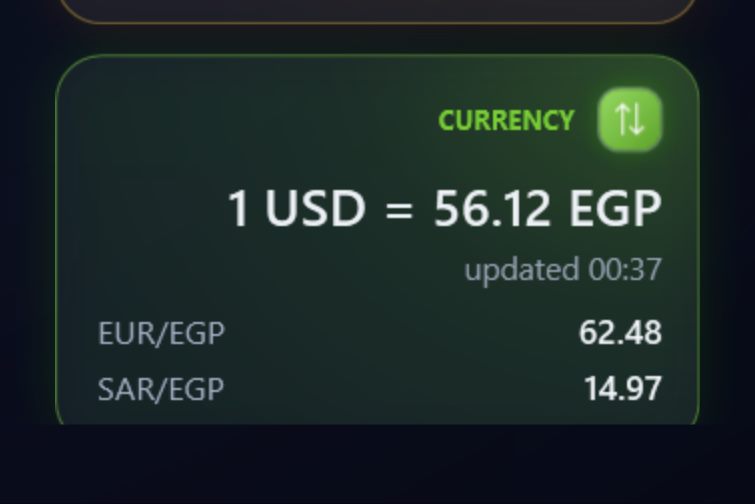
  • Currencies & coins
    Currencies & coinsSeveral rates on one card.
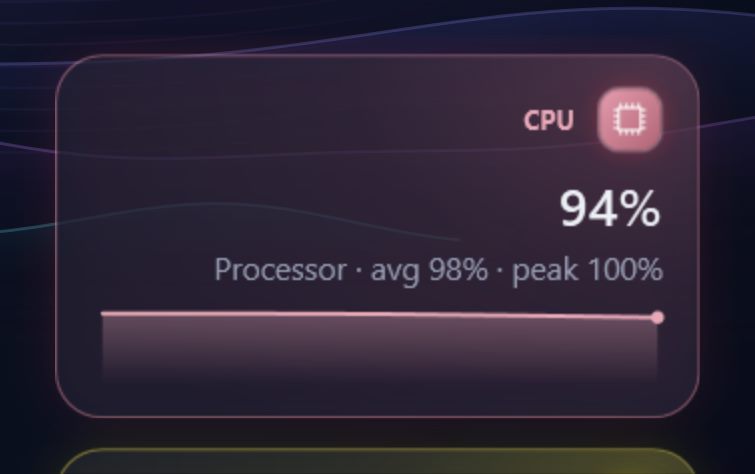
  • Live system charts
    Live system chartsCPU, RAM, network and battery, moment by moment.
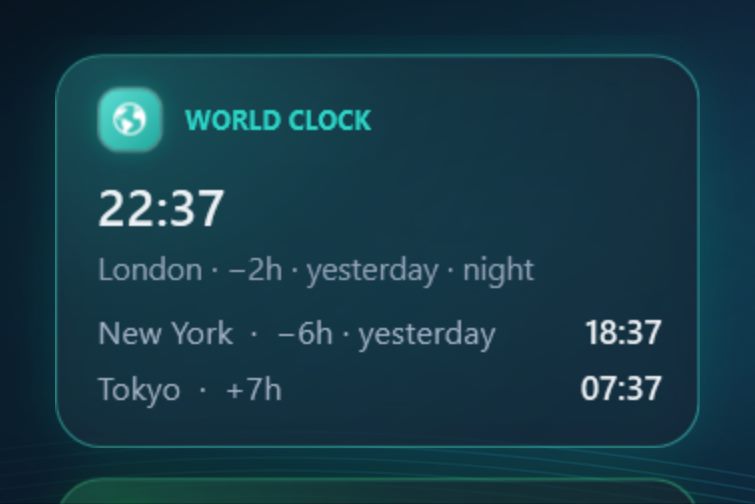
  • World clocks
    World clocksSeveral cities side by side.

Settings

Redesigned Settings

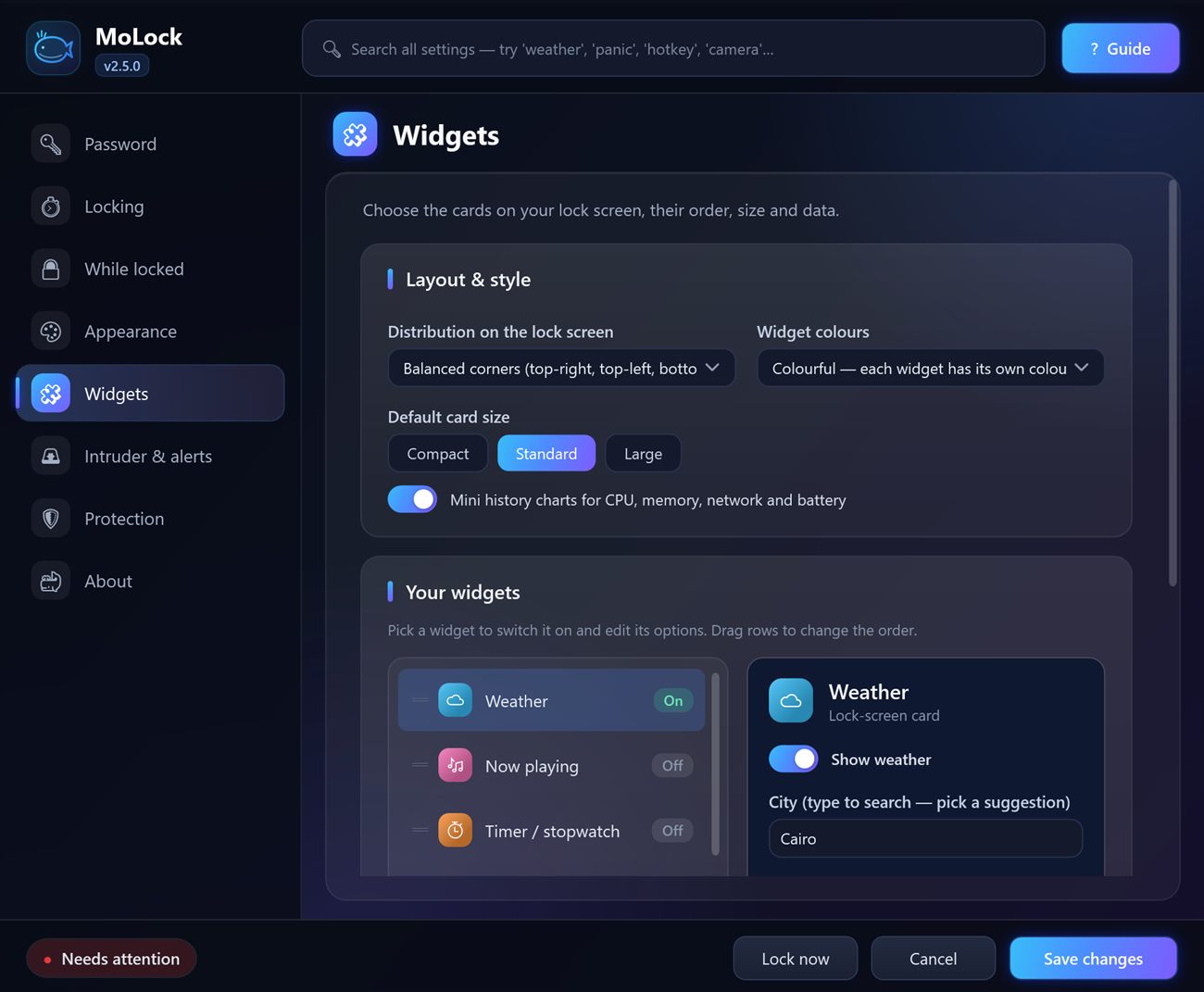
Every page has a short description, grouped cards and an "Advanced" section, fully in Arabic. Search reaches any option, even hidden ones.

The widgets page in MoLock settings

Security & trust

Multiple layers of protection — privacy first

No jargon: here's exactly what protects your PC and your data.

  • Multiple layers of protection

    A password lock, a guardian that brings the app back if someone closes it, protected settings and a photo of every attempt — each layer backs up the next.

  • Encrypted on your PC

    Your settings and evidence are protected with bank-grade encryption, tied to your own Windows account on your own PC.

  • Your password never leaves

    Your password is never stored as-is and never sent anywhere — not even to the developer.

  • Digitally signed updates

    Every update and announcement is digitally signed. The app refuses anything that isn't from us, so no one can push you a fake.

  • Privacy first

    You decide what's shared: one switch turns device stats off. We never send your files, your screen or what you type.

  • No cookies, no ad trackers

    This website uses no cookies and no ad trackers, and your IP address is never stored.

  • Works offline

    Locking and unlocking work without the internet; evidence waits and is sent when you're back online.

  • Never locked out

    A recovery code, password reset from Telegram, a built-in emergency unlock and a repair tool — there's always a way back in.

  • Tamper alerts New in 2.5

    Someone tries to close MoLock with a wrong password or ends it from Task Manager? You get an alert with their photo, 3 wrong tries lock the screen, and MoLock comes back locked.

  • Eyes on your locked PC New in 2.5

    Camera motion detection: the moment someone walks up to your locked PC, their photo reaches Telegram in about a second, and light changes don't cause false alarms.

New in 2.5

This release is stronger and more beautiful

All of this is available now in the latest release.

  • Camera motion detection

    While locked, any movement in front of the camera sends a photo to Telegram in about a second, with buttons for another photo, a video, a siren or OK.

    New
  • Tamper alerts

    A wrong password when closing, pausing or opening Settings, or ending it from Task Manager, sends an alert with a photo. Three wrong tries lock the screen.

    New
  • Instant camera

    The camera warms up the moment the screen locks, so the first photo is taken straight away.

    New
  • Update from Telegram

    /update: see what's new, download with progress and install after verification, even while locked.

    New
  • Your bot, linked in a minute

    Setup walks you through creating your bot, asks "Is this you?", then sends a test message and a full guide with commands.

    New
  • 3 style profiles

    Simple, Professional or Dynamic, with live previews; change anything later.

    New
  • 5 premium themes

    Liquid Glass, Nebula Flow, Midnight Bloom, Neo Tokyo Rain and Golden Hour, with per-theme intensity, speed and glow.

    New
  • Premium widgets

    Hourly weather chart, all five prayers with a countdown, rotating headlines, several currencies, world clocks and live CPU/RAM charts.

    New

Download MoLock free

Download MoLock free