Screen time without guilt. Focus that sticks.
MoLock measures honestly — apps, websites and categories, with idle time left out — then helps you act on it: gentle goals, limits that nudge instead of punish, and focus sessions that quietly hold distractions back. Only encrypted daily totals ever leave your PC.
New in 2.9Free · desktop + lock-screen widgets · weekly report
Screen time · today12% less than last week
6 h 12idle time not counted
- Excel & WordWork2 h 05
- docs.google.comWork1 h 12
- WhatsAppSocial38 min
- youtube.comVideo31 min
- VS CodeWork58 min
Focus2 / 4
18:42Deep work3 distractions blockedNotifications quiet
PauseStop
- Session styles3
- Widgets2
- Keystrokes recorded0
- History400DAYS
01 / 08How it works
Measure. Decide. Then protect your hours.
Tracking starts on your PC the moment you turn it on. Goals and sessions are yours to set — nothing is blocked unless you ask for it.
- 01Step 1/3
Turn on screen time
MoLock counts active time per app, per website (the site's name only) and per category. Time away from the keyboard isn't counted.
- 02Step 2/3
Set goals and limits
A goal for focused work, a daily limit for video or social — with a gentle nudge when you pass it, not a wall.
- 03Step 3/3
Start a focus session
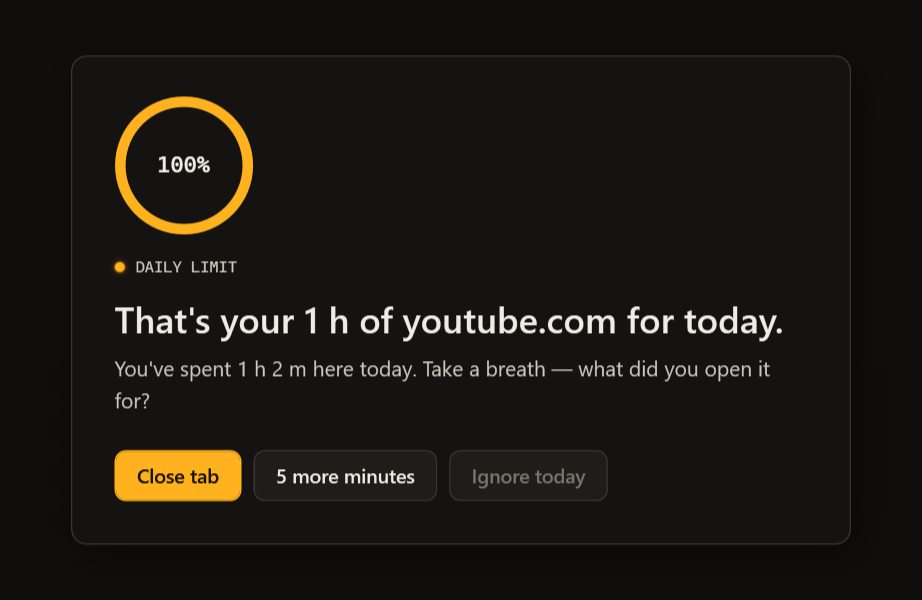
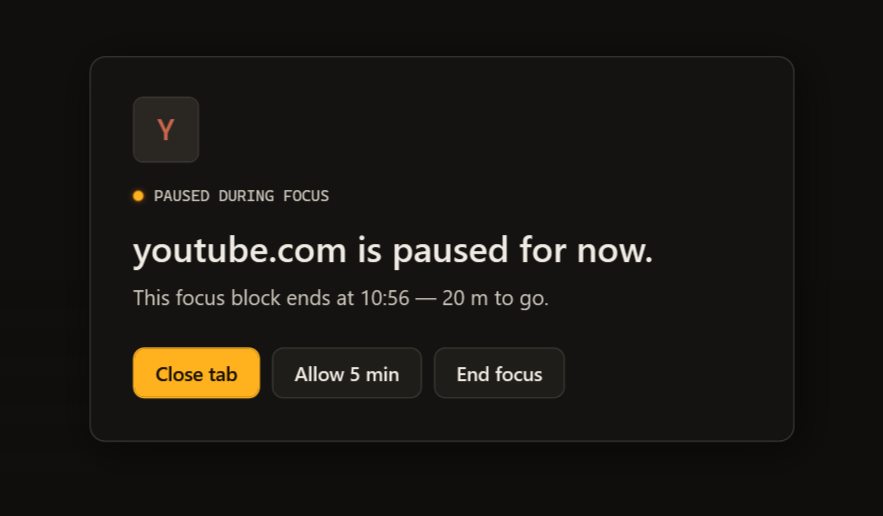
Pomodoro, deep work or your own length. Distracting apps and sites wait behind a calm card until the session ends.
02 / 08What it does
Honest numbers. Kind nudges.
Screen-time tools fail when they shame you. MoLock is built to be glanced at, believed and acted on — then left alone.
Apps, sites, categories
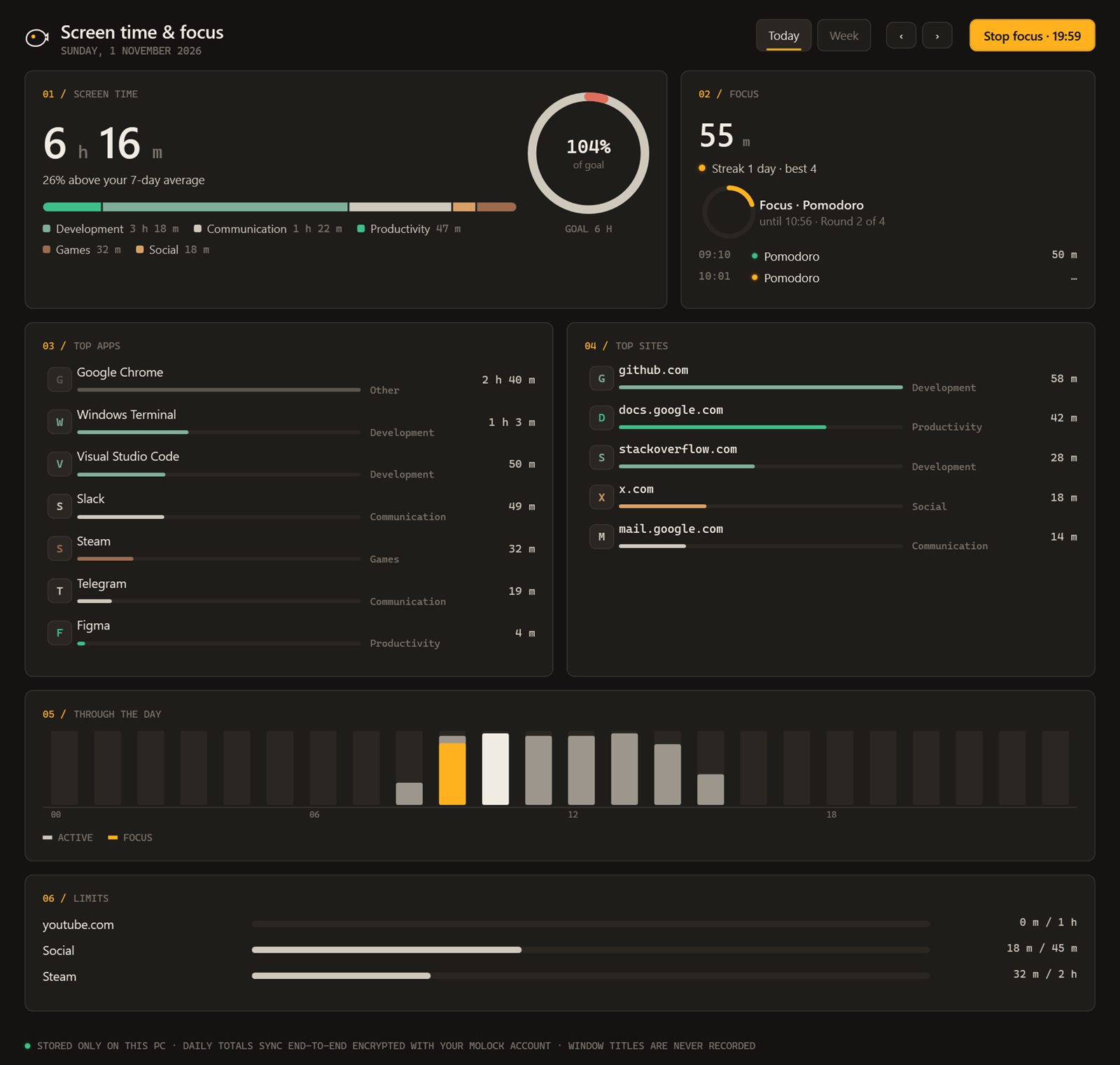
Per-app and per-site totals, grouped into work, social, video and more — editable.
Idle doesn't count
Walk away and the clock stops — numbers you can trust.
Goals and limits
Daily goals to reach and limits to respect, with gentle nudges.
Focus sessions
Pomodoro, deep work or custom — with breaks, and quiet notifications while you work.
Calm blocking
Chosen apps and sites wait behind a card with "Back to work" — or a few more minutes if you really need them.
Schedules
Weekday mornings for deep work, evenings free — sessions start on their own.
Desktop and lock widgets
A small countdown on the desktop and the lock screen, so the session stays in view.
Weekly report
A short summary on Telegram every week — trends, not a scolding.
03 / 08Stay in the flow
A session you can see. From the desk or the phone.
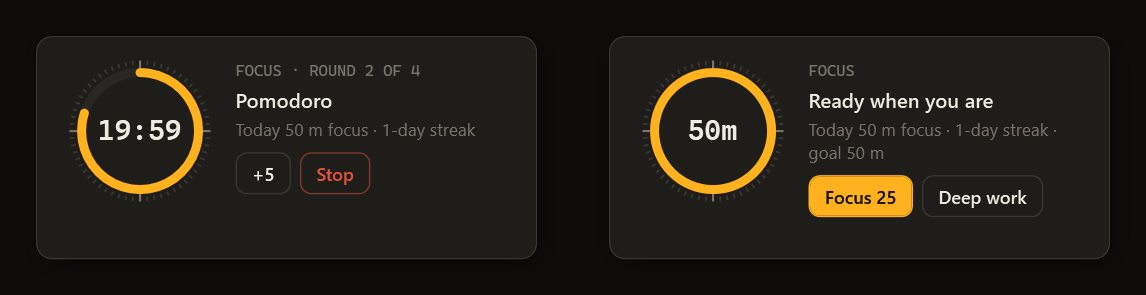
The focus widget sits on your desktop with a live countdown; the same session shows on the lock screen. Start or stop it from the dashboard or with one tap in Telegram.
- Draggable desktop widgetRing countdown, the session name and how many distractions were held back.
- Remote start and stop▶ 25 min, ▶ 50 min or ⏹ Stop from the bot — handy when you sit down at the PC.
- Charts in the dashboardDays, weeks and months side by side, kept up to 400 days.
04 / 08Privacy
Totals leave your PC. Nothing else.
Screen time is counted on the PC. What the dashboard shows are daily totals, sealed on your PC before upload — the server stores data it cannot read.
No screenshots, no keystrokes
MoLock never records what is on the screen or what you type to measure time.
Site names only
For websites it keeps the site's name, never full page addresses or page contents.
Sealed before upload
Daily totals are end-to-end encrypted with your account key.
Reaches your dashboard
- Minutes per app, site and category, per day
- Focus sessions and goals
- Your focus settings
Stays on your PC
- Screenshots or window contents
- Keystrokes
- Full web addresses
The little that sync needs
- That an update arrived, and when
- Its size and which PC
- Sealed data it cannot read
05 / 08Dashboard & bot
Your week, on your phone. On your terms.
The dashboard decides what Telegram sends: the weekly report, limit nudges, session reminders — or none of them. Quiet hours keep nights silent.
/focus▶ 25 min · ▶ 50 min · ⏹ Stop · 📋 Summary · Open in dashboard- Every feature has a page in the dashboard: its live state, its history and its settings — and the PC follows what you change.
- Notification preferences and quiet hours decide what the bot sends; each button works once and the message is updated with the result.
- 📊 DESKTOP-MO · Your week
Screen time 31 h 20 (9% less)
Focus sessions 11 · 7 h 05
Top: Work 62% · Social 14% · Video 11%
Goals met on 4 of 5 days▶ 25 minOpen in dashboard
06 / 08Limits
Exactly what it does. And what it doesn't.
Websites in common browsers
Site-level time comes from the browser tab's site name; private windows and unusual browsers may show only as the browser app.
Blocking is a nudge, not a cage
It is designed to help you keep a promise to yourself, not to lock down an account you don't control.
This PC only
Each linked PC measures its own time; your phone's screen time isn't included.
07 / 08Read more
In-depth guides. In plain words.
Screen time without guilt: focus that sticks
Most screen-time tools greet you with a number that makes you feel bad, so you stop looking. Here is a calmer approach: measure honestly, decide what you want more of, and let the PC protect the hours that matter.
Walk-away lock, done right
A lock that follows you sounds simple until it locks while you are reading, or stays open because your phone is still on the desk. Here is what goes wrong with single-signal proximity locks, and how MoLock decides that you have really left.
Prayer times on your desktop: accurate methods explained
Two apps, one city, two different Fajr times. That is rarely a bug; it is a choice of method. Here is how prayer times are calculated, how to match the timetable your local authority and mosque use, and how MoLock keeps them in view without getting in the way.
08 / 08Questions
Focus & screen time
What exactly does screen time record?
Active minutes per app, per website (the site's name only) and per category, with idle time left out. It never records screenshots, keystrokes, window contents or full web addresses. Only daily totals reach your dashboard, end-to-end encrypted.
Does a focus session block apps completely?
Only the apps and sites you choose, and only during the session. They wait behind a calm card with "Back to work" — and a few extra minutes if you really need them.
Can I start a focus session from my phone?
Yes — from the dashboard, or send /focus to the official bot and tap ▶ 25 min, ▶ 50 min or ⏹ Stop. The PC starts or ends the session within moments.
Free · no ads
Try it on your PC today.
Windows 10 & 11 · works without an account; the dashboard is optional and free