Your camera, your mic, your screen. Watched over.
MoLock tells you which app turns on your camera or microphone, and when — and lets you switch them off in one tap from the PC, the dashboard or Telegram. It hides sensitive windows when a second face looks at your screen, keeps notifications out of screen shares, and asks you before a new program starts with Windows.
New in 2.9Free · on-device detection · camera features opt-in
CameraIn use · Zoom
MicrophoneNot in use
- ZoomAllowed · now · for 14 minAllowed
- Chrome — meet.google.comAllowed · yesterday 18:20Allowed
- qrec.exeNew app used the mic · 09:41New
Camera offMic offAllow
Autostart watchNew
A new program will start with WindowsUpdater Helper · added 2 min ago
- Where
- Scheduled task at sign-in
- Publisher
- Not signed
- Added by
- setup_free_pdf.exe
RemoveKeep
- Watched devices2
- Tap to switch off1
- Frames stored0
- Cost0FREE
01 / 08How it works
Turn it on once. It speaks up only when it matters.
The watchdog learns the apps you trust; after that you only hear about something new.
- 01Step 1/3
Switch on the guard
Camera and microphone watching starts at once. Apps you already use for calls go on the allow-list with one click.
- 02Step 2/3
Choose the extras
Shoulder-surfing guard, panic key, screen-sharing safe mode and the sensitive-apps list — each one optional.
- 03Step 3/3
Get told about the new
A new app on the camera, a new startup program — an alert with clear buttons, on the PC, in the dashboard and on Telegram.
02 / 08What it does
Seven guards. One quiet panel.
Small habits protect privacy best when they are automatic. The guard turns them into switches.
Camera & mic watchdog
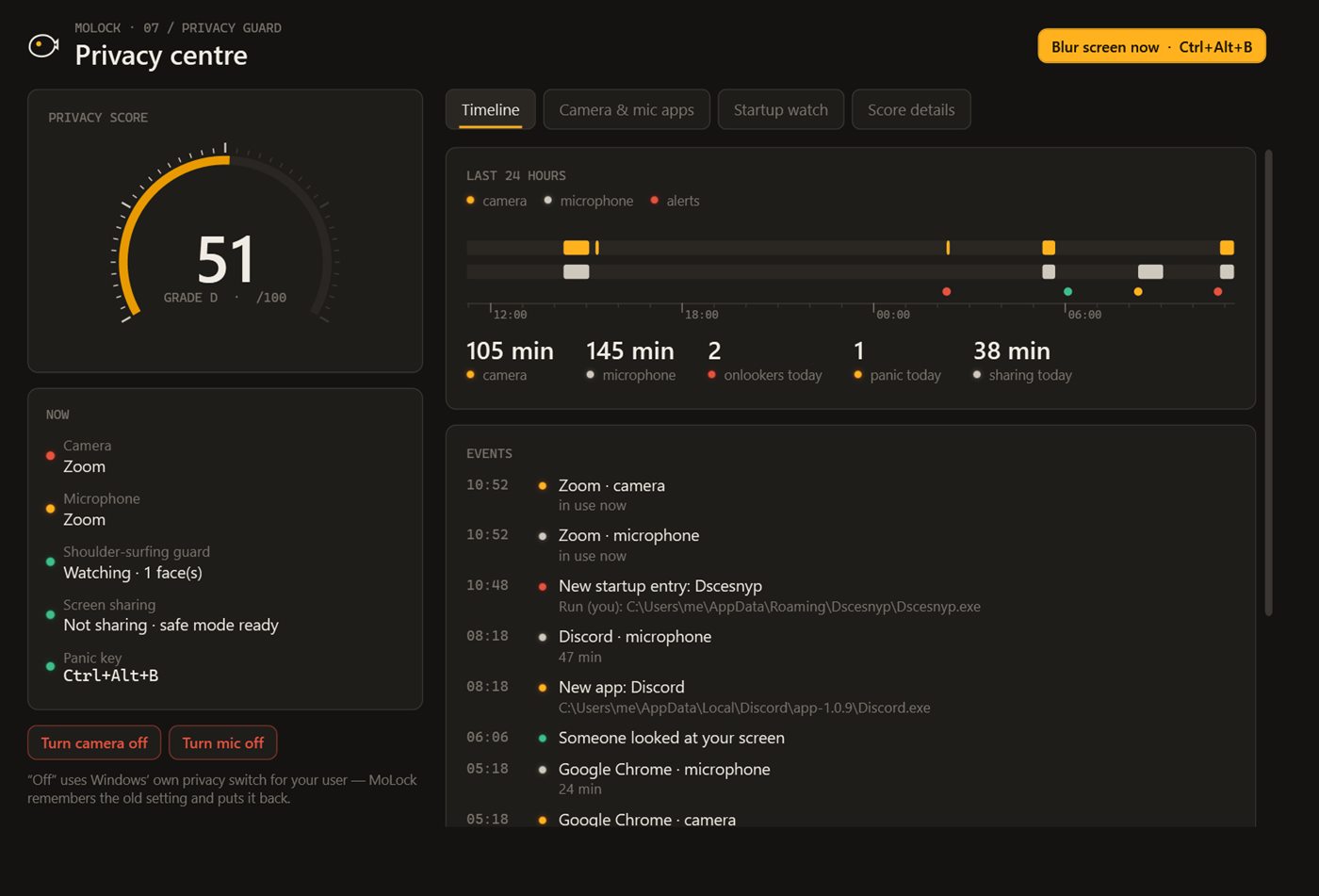
Which app, when and for how long — with an allow-list and alerts for newcomers.
One-tap off
Camera off or mic off for your Windows user, from the PC, the dashboard or the bot.
Shoulder-surfing guard
A second face looking → sensitive windows blur. You leave → the PC locks. Opt-in, on-device.
Panic key
One shortcut blurs everything instantly — press it again to come back.
Screen-sharing safe mode
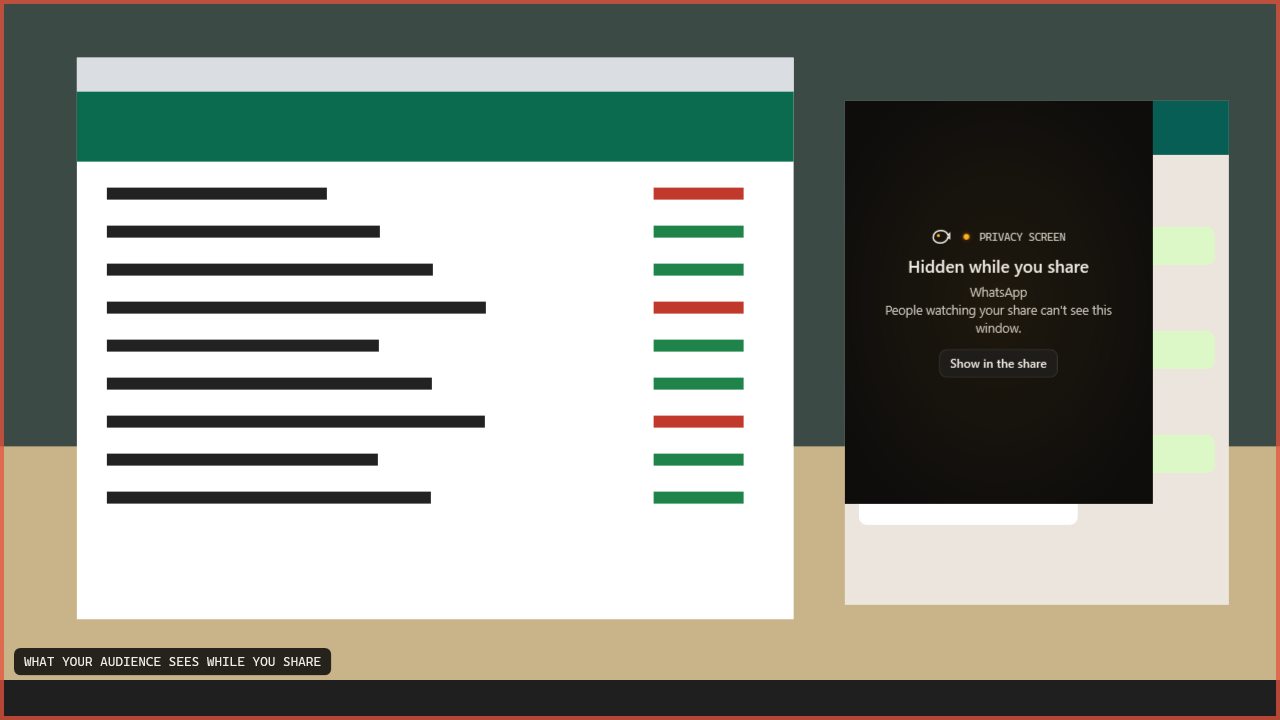
While you share or record, notifications, sticky notes and sensitive windows stay hidden.
Sensitive-apps blur
Banking, password managers, chats — blurred whenever the guard steps in.
Autostart watch
New programs set to start with Windows → an alert with Keep or Remove.
Privacy score
Part of PC health: what is protected and the one thing to fix next.
03 / 08Startup & score
New at startup? You decide.
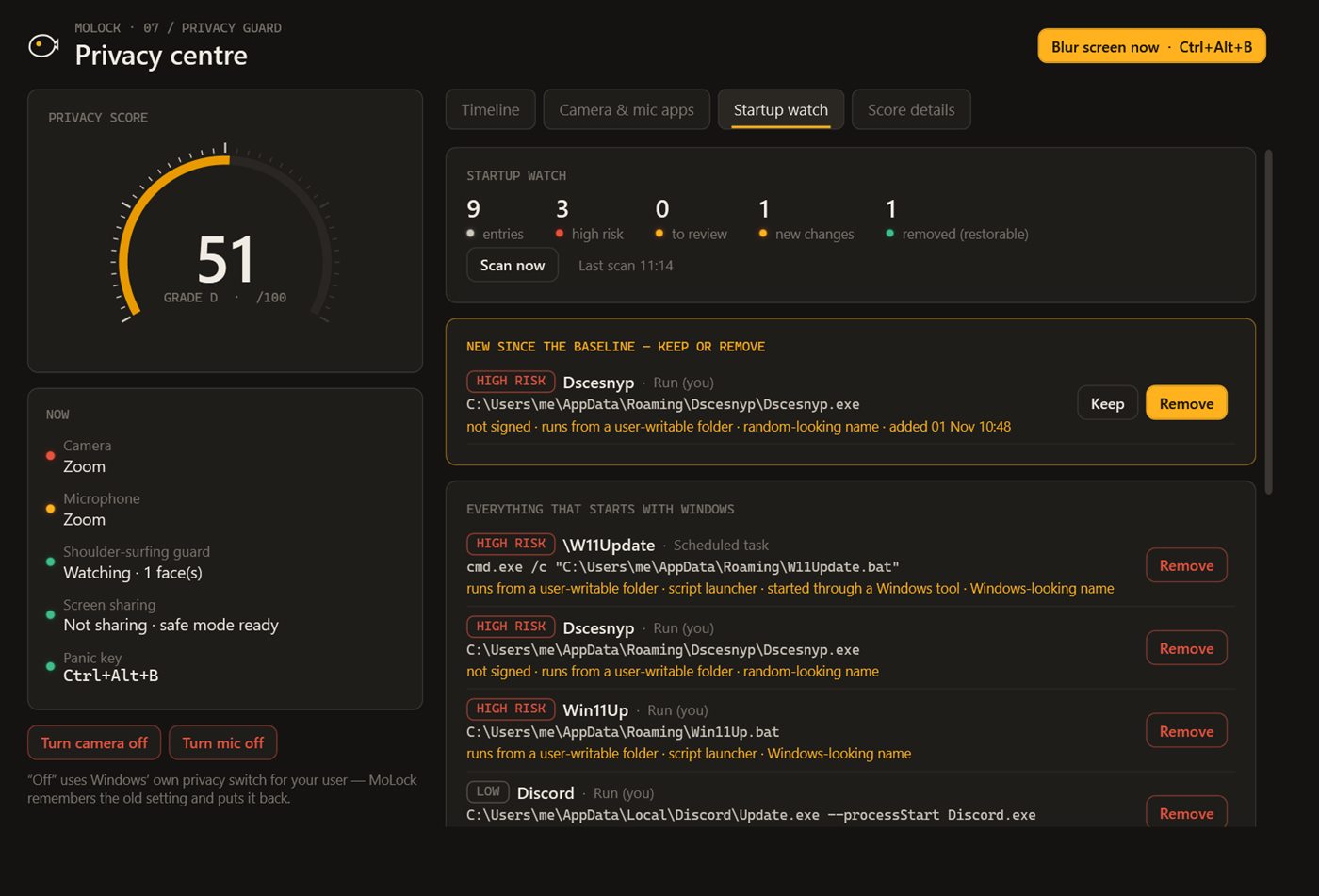
Many unwanted programs make sure they run every time Windows starts. MoLock notices new startup entries, startup-folder items and scheduled tasks, and asks you.
- Clear factsWhat was added, where, by which installer, and whether it is signed by its publisher.
- Keep or RemoveRemove stops it from starting with Windows — it doesn't delete the program. Both buttons also work from the bot.
- A score you can raiseEach fix shows its effect in the privacy score inside PC health.
04 / 08Privacy
The camera is checked here. And forgotten here.
Face detection for the shoulder-surfing guard runs on your PC, in memory. No frame is written to disk or sent anywhere — not to the dashboard, not to us.
Frames never stored
The guard looks for faces, not identities, and discards each frame immediately.
Encrypted events
Camera/mic use and startup alerts sync to the dashboard end-to-end encrypted.
Every extra is opt-in
Camera-based features stay off until you switch them on, and you can switch them off any time.
Reaches your dashboard
- Which app used the camera or mic, and when
- New startup programs and your choice
- Your privacy score
Stays on your PC
- Camera images
- Microphone audio
- The contents of blurred windows
The little that sync needs
- That an update arrived, and when
- Its size and which PC
- Sealed data it cannot read
05 / 08Dashboard & bot
Switch it off from anywhere. One tap.
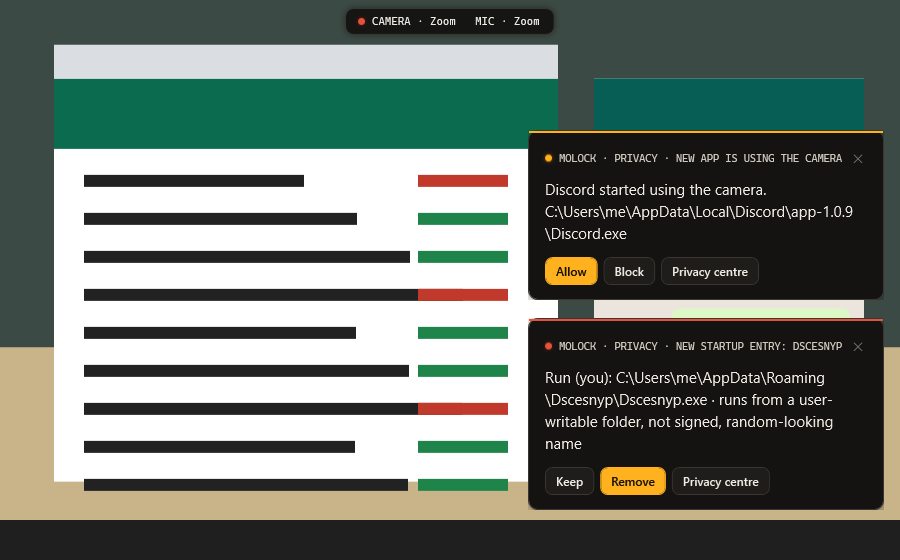
Left a call app running? Tap Camera off in the dashboard or in Telegram and the PC does it. New-app and startup alerts arrive with the same buttons the dashboard has.
/privacy📷 Camera off · 🎙 Mic off · 📋 Summary · Open in dashboard- Every feature has a page in the dashboard: its live state, its history and its settings — and the PC follows what you change.
- Notification preferences and quiet hours decide what the bot sends; each button works once and the message is updated with the result.
06 / 08Limits
Exactly what it does. And what it doesn't.
A phone camera pointed at your screen
No software can stop someone from photographing a screen. The guard reduces what there is to see.
Needs a webcam and some light
Face detection works with the PC's camera in reasonable light; without a camera, the other guards still work.
Camera off uses Windows' own switch
It turns off access for your Windows user, the same switch as in Windows privacy settings.
07 / 08Read more
In-depth guides. In plain words.
Privacy guard: cameras, microphones and shoulder surfers
The webcam light tells you that something is watching, not who. MoLock's privacy guard answers the real questions — which app, when, and was that supposed to happen — and adds a quiet defence against the person sitting next to you.
10 everyday privacy habits for Windows users
Privacy is rarely lost in one dramatic moment. It leaks out through small gaps: an unlocked screen, a photo that carries your home address, a link that never expires. Here are ten habits that close those gaps.
Who's on my Wi-Fi? Network guard and your router
A slow evening, a neighbour who might know your password, a device name you have never seen. Here is what MoLock's network guard can see on your home network, what it can do through your router, and where its view honestly ends.
08 / 08Questions
Privacy guard
How do I know which app is using my camera?
The privacy guard lists every app that uses the camera or microphone and when. Apps you trust go on an allow-list; a new app triggers an alert with Allow, Camera off and Mic off buttons — on the PC, in the dashboard and on Telegram.
Does the shoulder-surfing guard save pictures?
No. It is opt-in, runs on your PC, looks only for how many faces are in front of the screen and discards each frame immediately. Nothing is written to disk or uploaded.
What does "Remove" do for a startup program?
It stops that program from starting with Windows. It does not uninstall it — you can still open it yourself, or uninstall it from Windows settings.
What is screen-sharing safe mode?
While you share or record your screen, MoLock hides notifications, sticky notes and the windows you marked as sensitive, so a meeting never shows a private message by accident.
Free · no ads
Try it on your PC today.
Windows 10 & 11 · works without an account; the dashboard is optional and free