It locks when you leave. It knows when you're back.
Walk-away lock that doesn't guess. MoLock combines your phone, watch or earbuds over Bluetooth, your phone on the same Wi-Fi, your keyboard and mouse — and, only if you want, the camera — before it decides you have left. A short countdown, then the lock. When you come back, a calm welcome and, if you allow it, one key to get back in.
New in 2.9Free · Bluetooth on the PC recommended · works offline
Present
3 of 4 signals agree you are here
- Your phone · Galaxy A54Bluetooth · near
- Watch · Galaxy WatchBluetooth · near
- Phone on this Wi-FiHome networkYes
- Camera presenceOptional · on this PC onlyOff
- Keyboard & mouseActive seconds agoActive
Locks after a short countdown when the signals agree you have left
You seem to be away
Locking in 8 s — your phone is out of range and there is no activity.
CancelLock now
- Signals combined4
- Walk test1MIN
- Camera frames kept0
- Cost0FREE
01 / 08How it works
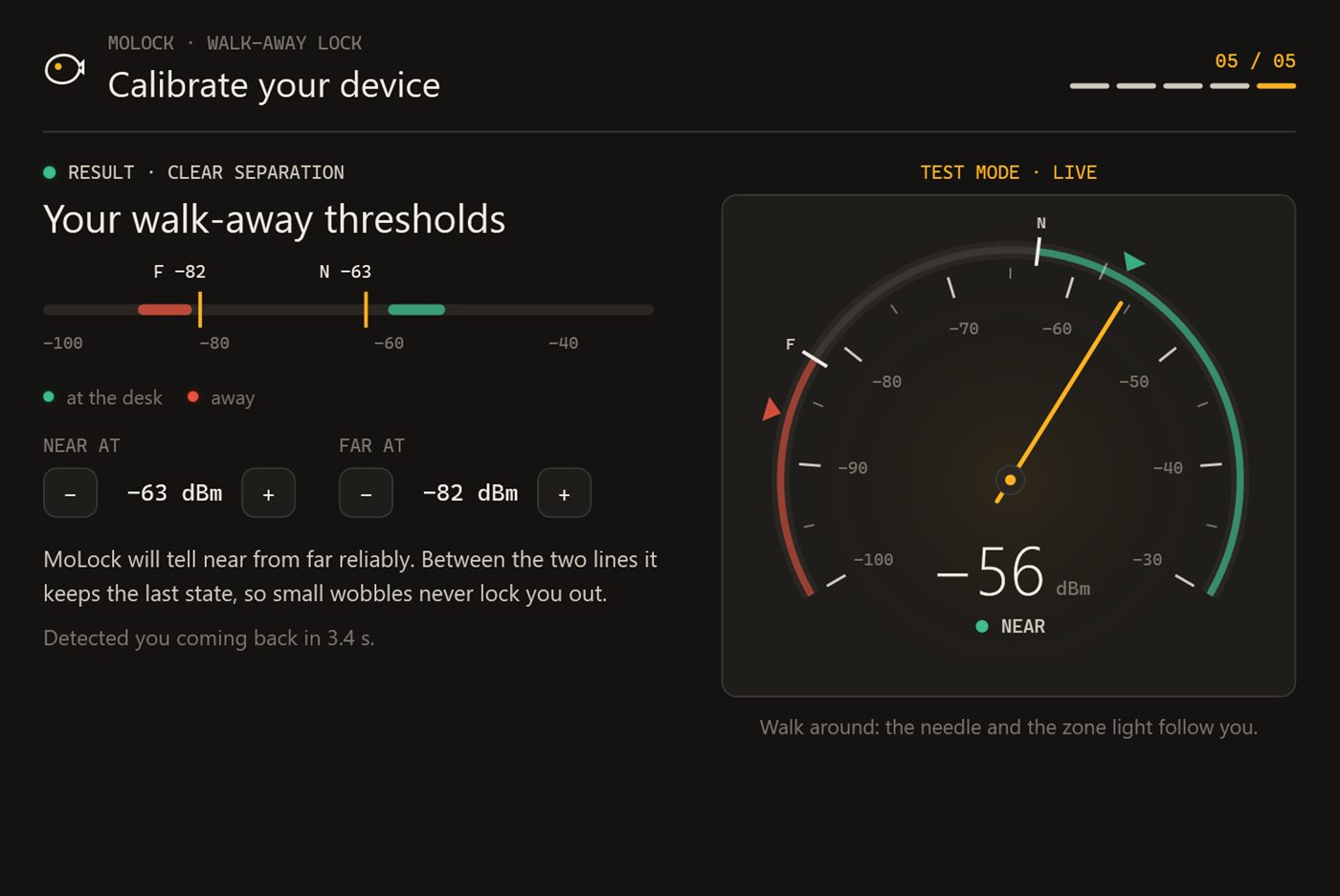
Pair, walk, forget about it. That's the setup.
Presence works entirely on your PC. The dashboard and the bot add history, remote settings and alerts — never the decision itself.
- 01Step 1/3
Choose your signals
Pick a phone, watch, band or earbuds you already paired — or choose one from a scan. Add your phone on the home Wi-Fi and keyboard/mouse activity. The camera stays off unless you turn it on.
- 02Step 2/3
Do the one-minute walk test
Walk away from your desk and come back. MoLock learns where your desk ends and sets two thresholds — one for leaving, one for returning — so it never flickers at the edge.
- 03Step 3/3
Walk away
When the signals agree you have left, a short countdown appears with a Cancel button, then the screen locks. Come back and a welcome screen greets you, with quick unlock if you enabled it.
02 / 08What it does
Many signals. One calm decision.
A single Bluetooth signal is fragile: phones sleep, pockets and walls weaken the radio. MoLock weighs several signals together and only locks when it is confident.
Phone, watch, earbuds
Paired devices or one chosen from a scan, with smoothing so a single weak reading never locks you out.
Phone on the same Wi-Fi
A second, independent sign that you are nearby — useful when Bluetooth naps.
Activity
Typing or moving the mouse means someone is here — it keeps the PC awake and feeds the alerts.
Camera presence (opt-in)
Off by default. When on, frames are checked on the PC for a face and thrown away — never stored, never uploaded.
Grace countdown
A toast with Cancel before every automatic lock — you choose its length.
Welcome back
Optional quick unlock with one key or a PIN within the minutes you choose.
Strict quick-unlock rules
Never offered after wrong-password attempts or a remote lock — then the full password is required.
Someone typing while you're away
An alert on Telegram and in the dashboard, with a Lock now button.
14:07
Welcome back
EnterPress to unlock quickly · available for 2 min
Your phone and watch are back · away for 11 min
No quick unlock after failed attempts or a remote lock
03 / 08Your day, at a glance
A timeline of away and back. Not a surveillance log.
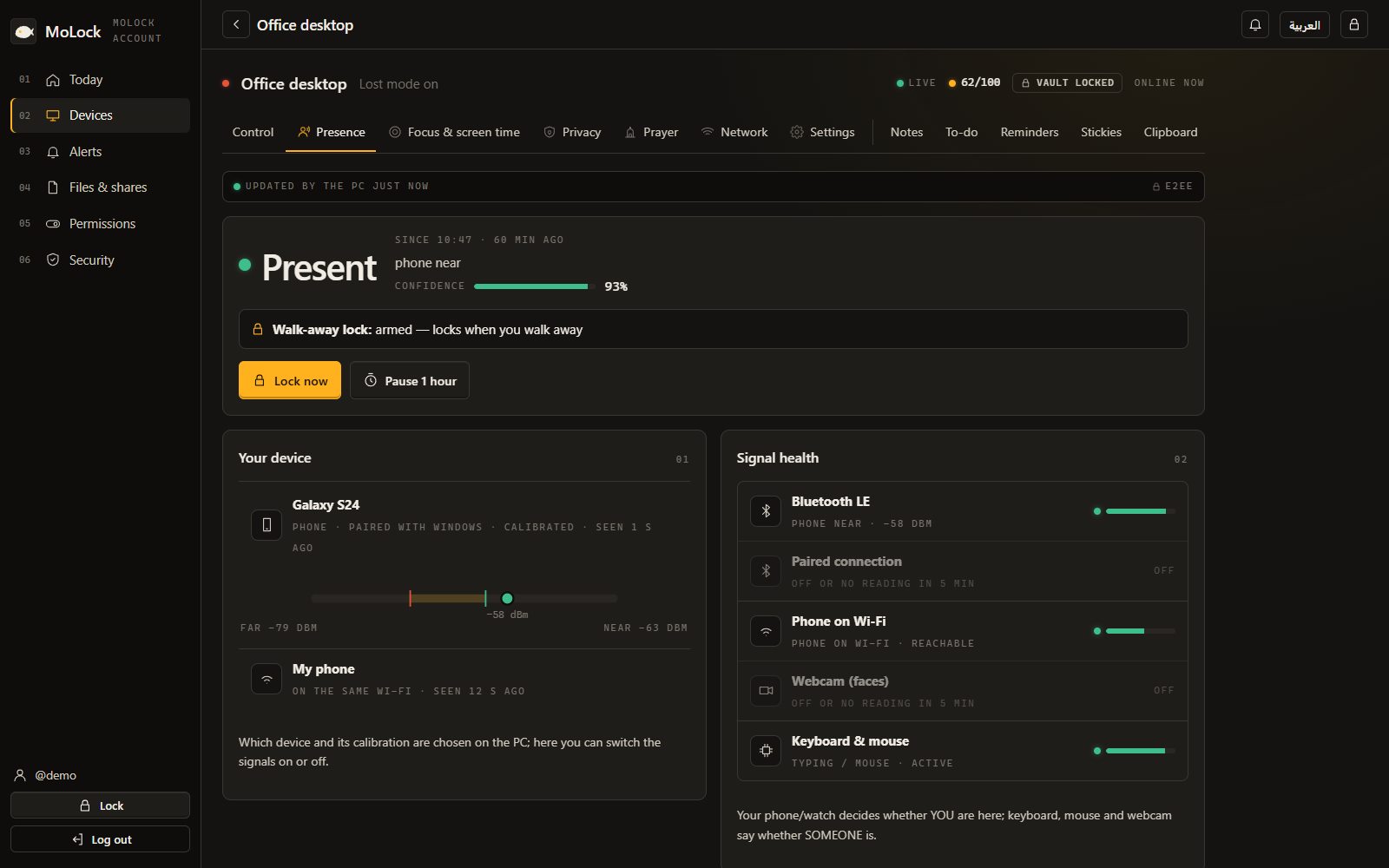
The dashboard shows when the PC locked because you left and when you came back — the signals behind each decision, and nothing about what you did on the PC.
- Present / away bandsEvery auto-lock, every return, and how long you were away — kept up to 400 days, end-to-end encrypted.
- The moments that matterTyping while your phone was away, a cancelled lock, a remote lock — marked clearly.
- Tune it from anywhereChange the countdown, the signals or quick unlock in the dashboard; the PC applies it when it is online.
04 / 08Privacy
Presence stays on your PC.
The decision to lock is made on the PC, offline. Only the timeline you can see in the dashboard leaves it — sealed with your account key.
Camera frames never leave
The optional camera signal looks for a face in memory and discards the frame at once. No photo is ever saved or sent.
End-to-end encrypted history
Away/back times are sealed on the PC; the server stores data it cannot read.
Your password still rules
Presence adds convenience on top of your password — it never replaces it.
Reaches your dashboard
- Away and back times
- Which signals agreed
- Your presence settings
Stays on your PC
- Camera images
- What you typed
- Bluetooth device addresses
The little that sync needs
- That an update arrived, and when
- Its size and which PC
- Sealed data it cannot read
05 / 08Dashboard & bot
The dashboard decides. The bot follows.
Choose in the dashboard which presence alerts reach Telegram and at what level. A tap on a bot button does exactly what the dashboard button does.
/presence🔒 Lock now · 📋 Summary · Open in dashboard- Every feature has a page in the dashboard: its live state, its history and its settings — and the PC follows what you change.
- Notification preferences and quiet hours decide what the bot sends; each button works once and the message is updated with the result.
- ⚠️ DESKTOP-MO · Someone is typing
Your phone has been away for 6 min and the keyboard is in use.🔒 Lock nowOpen in dashboard - ✅ Lock now — the PC is locked
06 / 08Limits
Exactly what it does. And what it doesn't.
Bluetooth helps a lot
Without Bluetooth on the PC, presence relies on Wi-Fi, activity and the optional camera. Most laptops have it; many desktops need a small adapter.
Radio distance is approximate
Walls, pockets and bodies change the signal. That is why there is a walk test, two thresholds and a countdown.
Sleepy phones
Some phones quiet their Bluetooth to save battery. Combining several signals keeps that from causing false locks.
Not a replacement for a password
Quick unlock is a convenience with strict rules; your password remains the real key.
07 / 08Read more
In-depth guides. In plain words.
Walk-away lock, done right
A lock that follows you sounds simple until it locks while you are reading, or stays open because your phone is still on the desk. Here is what goes wrong with single-signal proximity locks, and how MoLock decides that you have really left.
Approve unlock from your phone: the story behind it
Sooner or later someone needs your PC while you are somewhere else. Until now the only answer was to read your password over the phone. MoLock 2.7 gives you a better one: a request on the lock screen, a photo on your phone, and a single tap.
Privacy guard: cameras, microphones and shoulder surfers
The webcam light tells you that something is watching, not who. MoLock's privacy guard answers the real questions — which app, when, and was that supposed to happen — and adds a quiet defence against the person sitting next to you.
08 / 08Questions
Walk-away lock
Does walk-away lock need Bluetooth?
It works best with Bluetooth on the PC, so it can sense your phone, watch or earbuds. Without it, MoLock still uses your phone on the same Wi-Fi, keyboard and mouse activity and — if you turn it on — the camera.
Will it lock while I'm still at my desk?
It is built not to. Several signals must agree, a one-minute walk test sets separate "away" and "back" thresholds, and a countdown with a Cancel button appears before every automatic lock. Typing or moving the mouse always counts as being here.
How does quick unlock stay safe?
Quick unlock (one key or a short PIN) is optional and only available for the minutes you choose after your devices come back. It is never offered after wrong-password attempts or when the PC was locked remotely — then your full password is required.
Is the camera used to watch me?
No. Camera presence is off unless you turn it on. When it is on, each frame is checked on the PC for a face and discarded immediately — nothing is saved or uploaded.
Free · no ads
Try it on your PC today.
Windows 10 & 11 · works without an account; the dashboard is optional and free